
Ever wondered how your phone, gaming console, or even your... Afișează mai mult
 Irish
Irish English
Înscrie-te pentru a vedea CONȚINUTULE gratuit!
Acces la toate documentele
Îmbunătățește notele tale!
Alătură-te milioanelor de elevi
Knowunity AI
Mai mult
Materii
Triangle Congruence and Similarity Theorems
Triangle Properties and Classification
Linear Equations and Graphs
Geometric Angle Relationships
Trigonometric Functions and Identities
Equation Solving Techniques
Circle Geometry Fundamentals
Division Operations and Methods
Basic Differentiation Rules
Exponent and Logarithm Properties
Afișează toate materiile
Human Organ Systems
Reproductive Cell Cycles
Biological Sciences Subdisciplines
Cellular Energy Metabolism
Autotrophic Energy Processes
Inheritance Patterns and Principles
Biomolecular Structure and Organization
Cell Cycle and Division Mechanics
Cellular Organization and Development
Biological Structural Organization
Afișează toate materiile
Chemical Sciences and Applications
Atomic Structure and Composition
Molecular Electron Structure Representation
Atomic Electron Behavior
Matter Properties and Water
Mole Concept and Calculations
Gas Laws and Behavior
Periodic Table Organization
Chemical Thermodynamics Fundamentals
Chemical Bond Types and Properties
Afișează toate materiile
European Renaissance and Enlightenment
European Cultural Movements 800-1920
American Revolution Era 1763-1797
American Civil War 1861-1865
Global Imperial Systems
Mongol and Chinese Dynasties
U.S. Presidents and World Leaders
Historical Sources and Documentation
World Wars Era and Impact
World Religious Systems
Afișează toate materiile
Classic and Contemporary Novels
Literary Character Analysis
Rhetorical Theory and Practice
Classic Literary Narratives
Reading Analysis and Interpretation
Narrative Structure and Techniques
English Language Components
Influential English-Language Authors
Basic Sentence Structure
Narrative Voice and Perspective
Afișează toate materiile
6
•
Actualizat May 5, 2026
•
Ever wondered how your phone, gaming console, or even your... Afișează mai mult
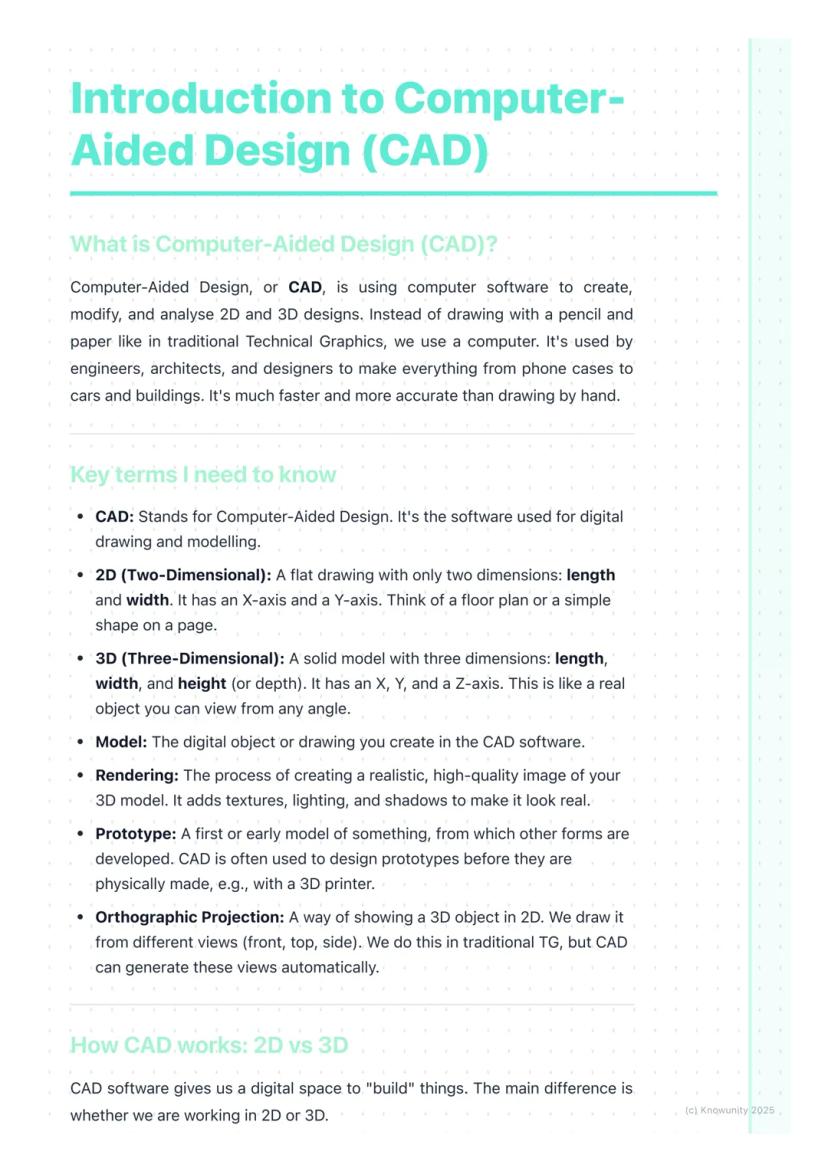
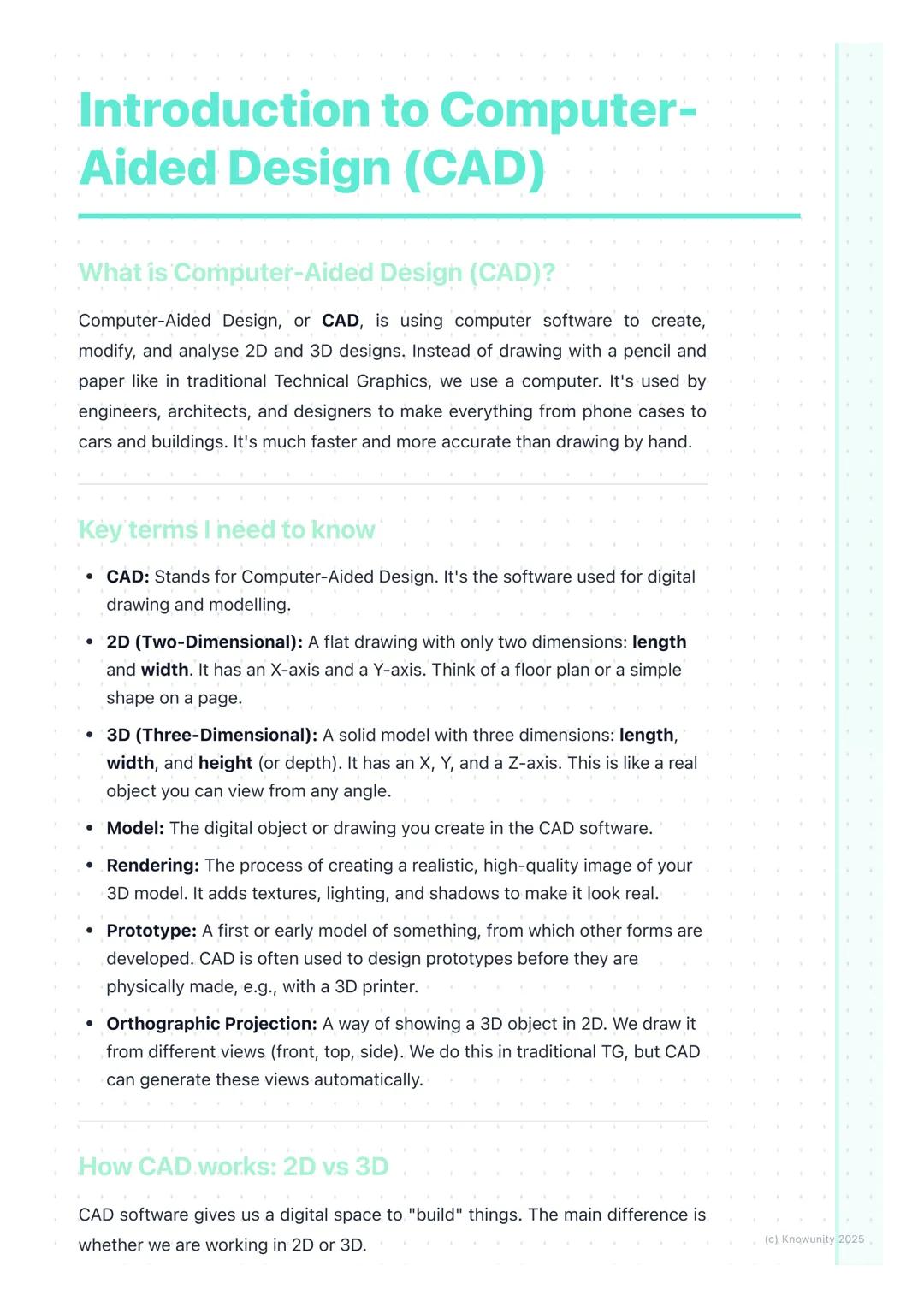
Think of CAD as your digital drawing board, but way more powerful than anything you could imagine. Computer-Aided Design lets engineers, architects, and designers create incredibly precise 2D drawings and 3D models using specialised software.
The beauty of CAD lies in its versatility. You can design a phone case one day and help plan a skyscraper the next. It's revolutionised how we create things because it's faster, more accurate, and infinitely easier to modify than traditional hand-drawing methods.
Key terms you'll need: A 2D design is flat with just length and width (X and Y axes), like a floor plan. A 3D model adds depth or height , creating solid objects you can view from any angle. Rendering transforms your basic 3D model into a photorealistic image with proper lighting and textures.
Quick Tip: Remember that orthographic projection - those front, top, and side views from traditional TG - can be generated automatically in CAD software!
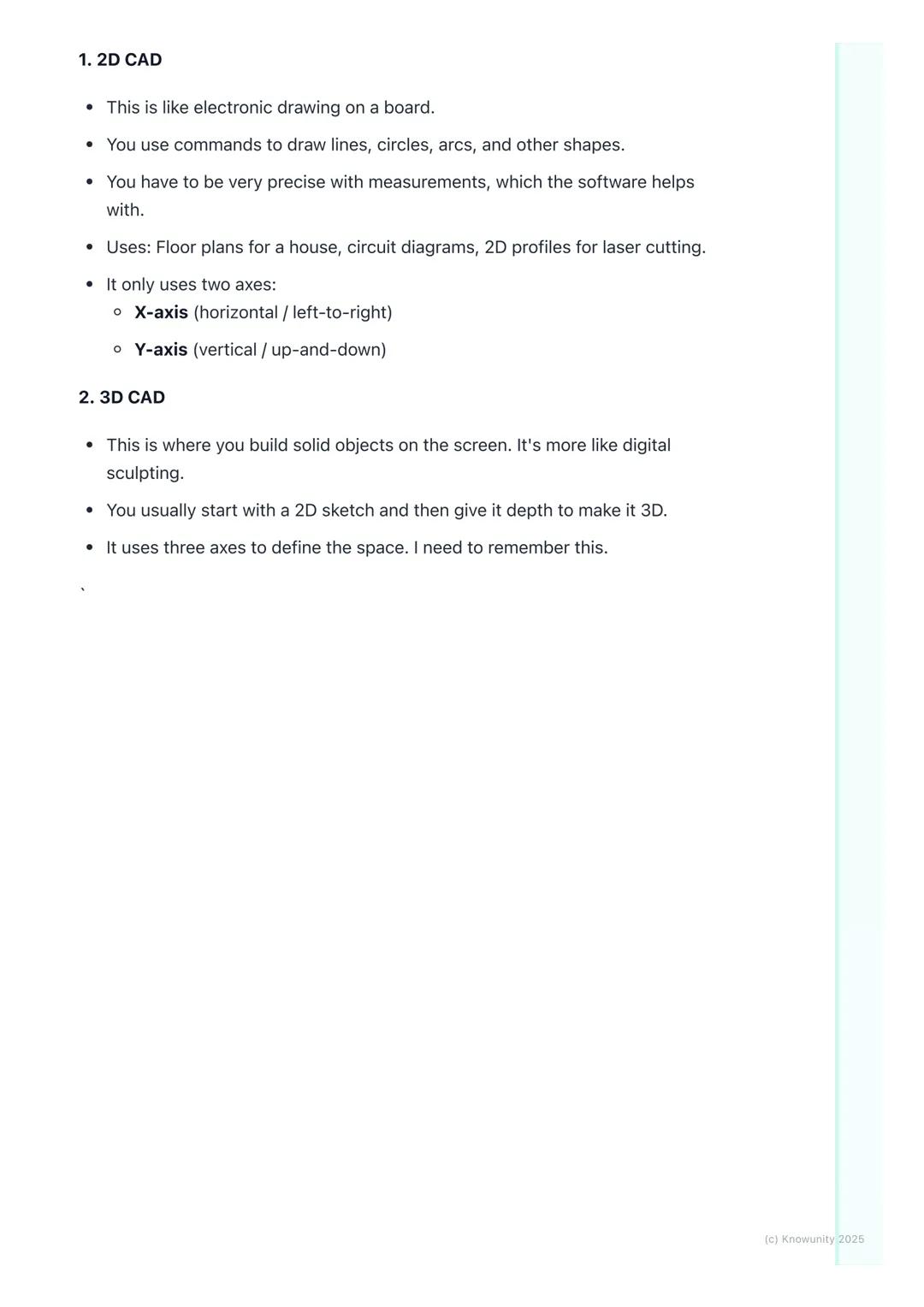
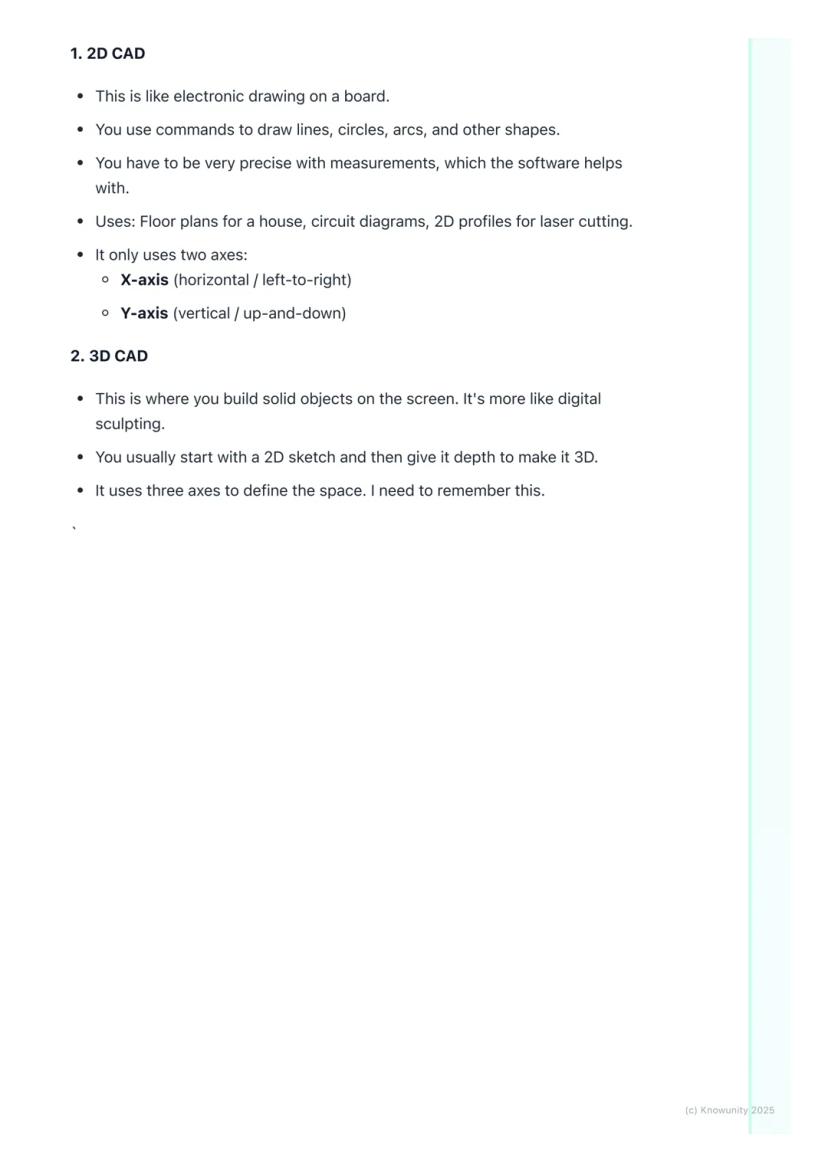
2D CAD works like an incredibly precise electronic drawing board. You'll use commands to draw lines, circles, and arcs with perfect measurements that the software tracks for you. It's brilliant for creating floor plans, circuit diagrams, or profiles for laser cutting.
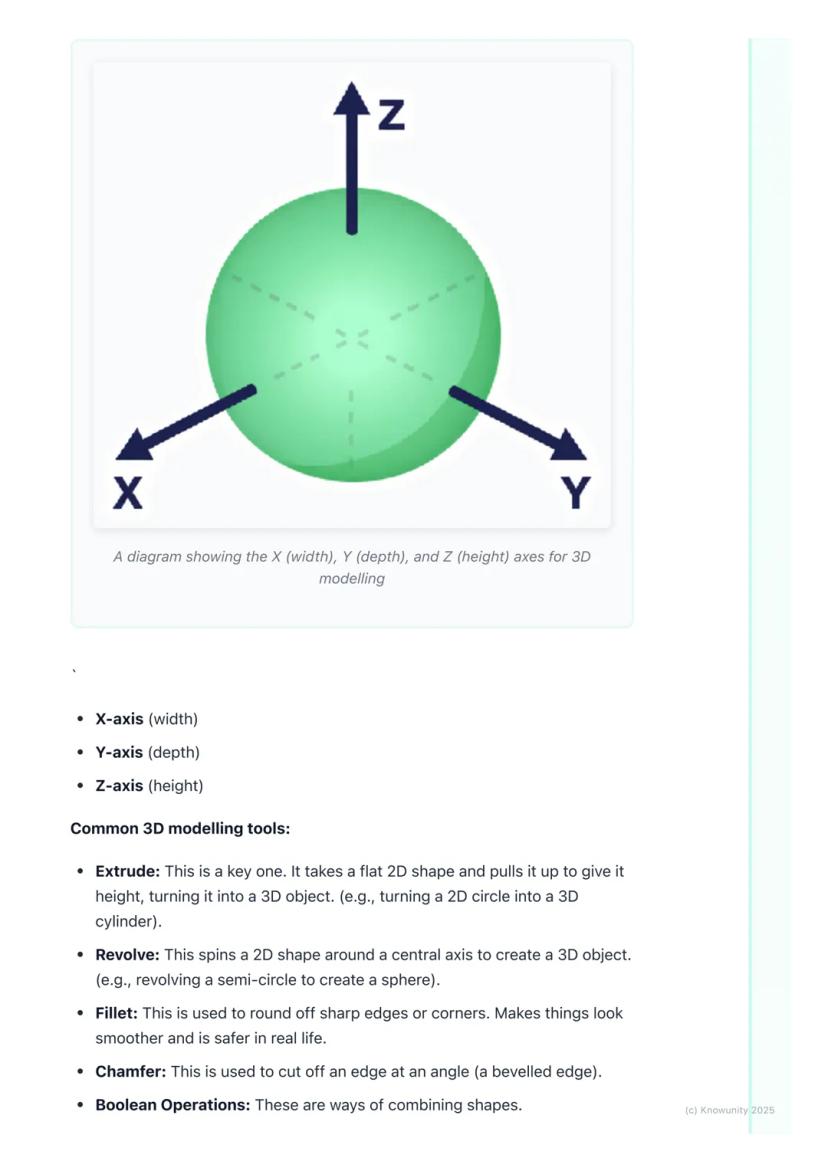
3D CAD is where things get exciting - you're essentially digital sculpting! Most 3D work starts with a 2D sketch that you then transform into a solid object by giving it depth. Remember the three axes: X-axis (width), Y-axis (depth), and Z-axis (height).
The most important 3D tool is extrude - it takes any flat 2D shape and pulls it up to create height, turning a circle into a cylinder or a square into a cube. Revolve spins a 2D shape around an axis (imagine spinning a semicircle to create a sphere).
Remember: Understanding these axes is crucial - they're the foundation of all 3D modelling work you'll do.
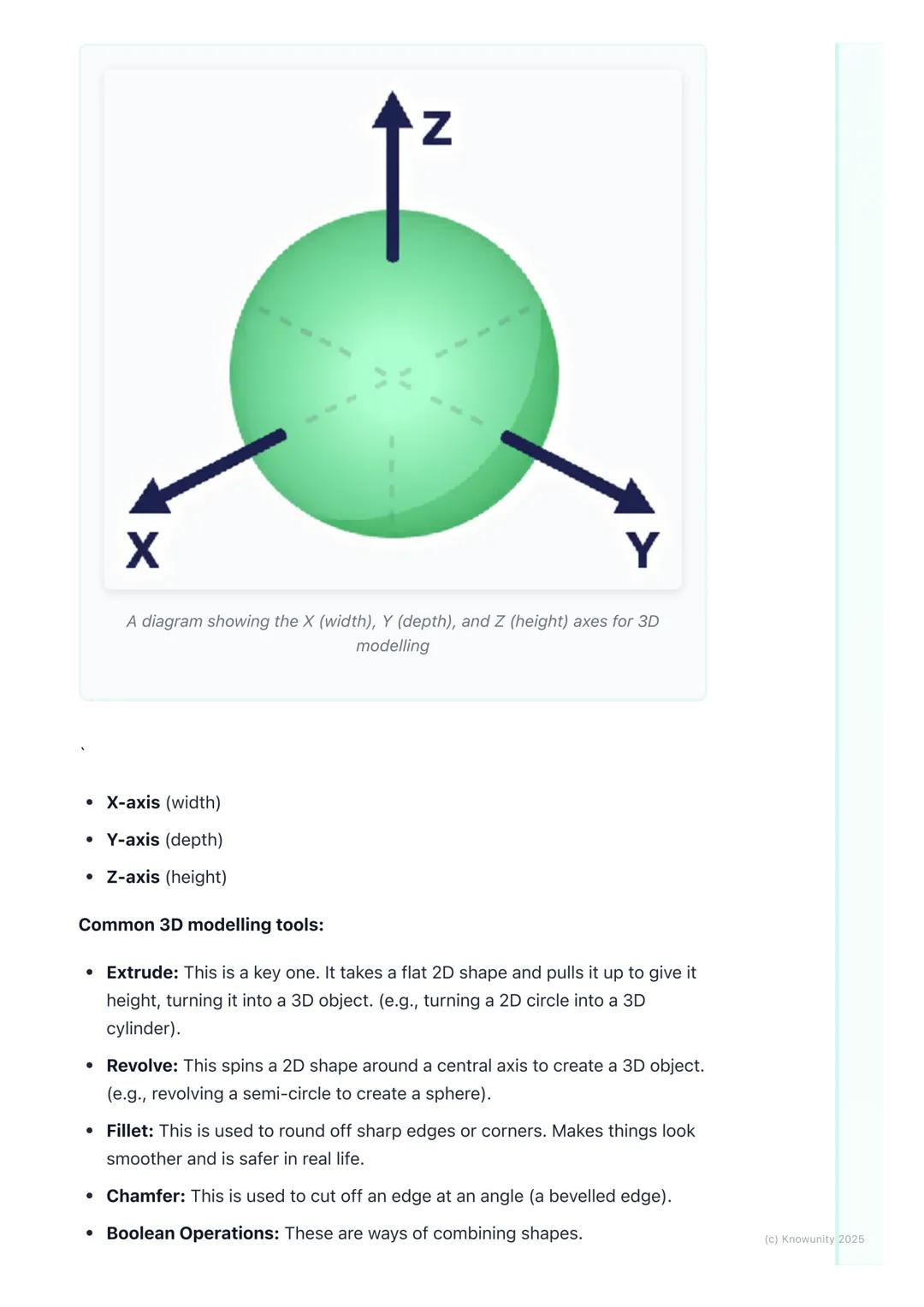
Once you've got your basic 3D shape, you'll need tools to refine it. Fillet rounds off sharp edges to make objects look smoother and safer, while chamfer cuts edges at an angle for a bevelled look.
Boolean operations are your shape-combining superpowers. Union fuses multiple shapes into one object - perfect for building complex designs from simple parts. Subtract uses one shape to cut holes in another, whilst intersect keeps only the overlapping parts of two shapes.
These tools might seem basic, but they're the building blocks of every complex CAD model you'll ever see. Master these fundamentals, and you'll be amazed at what you can create.
Pro Tip: Boolean operations are like digital Lego - you can build incredibly complex objects by cleverly combining simple shapes!
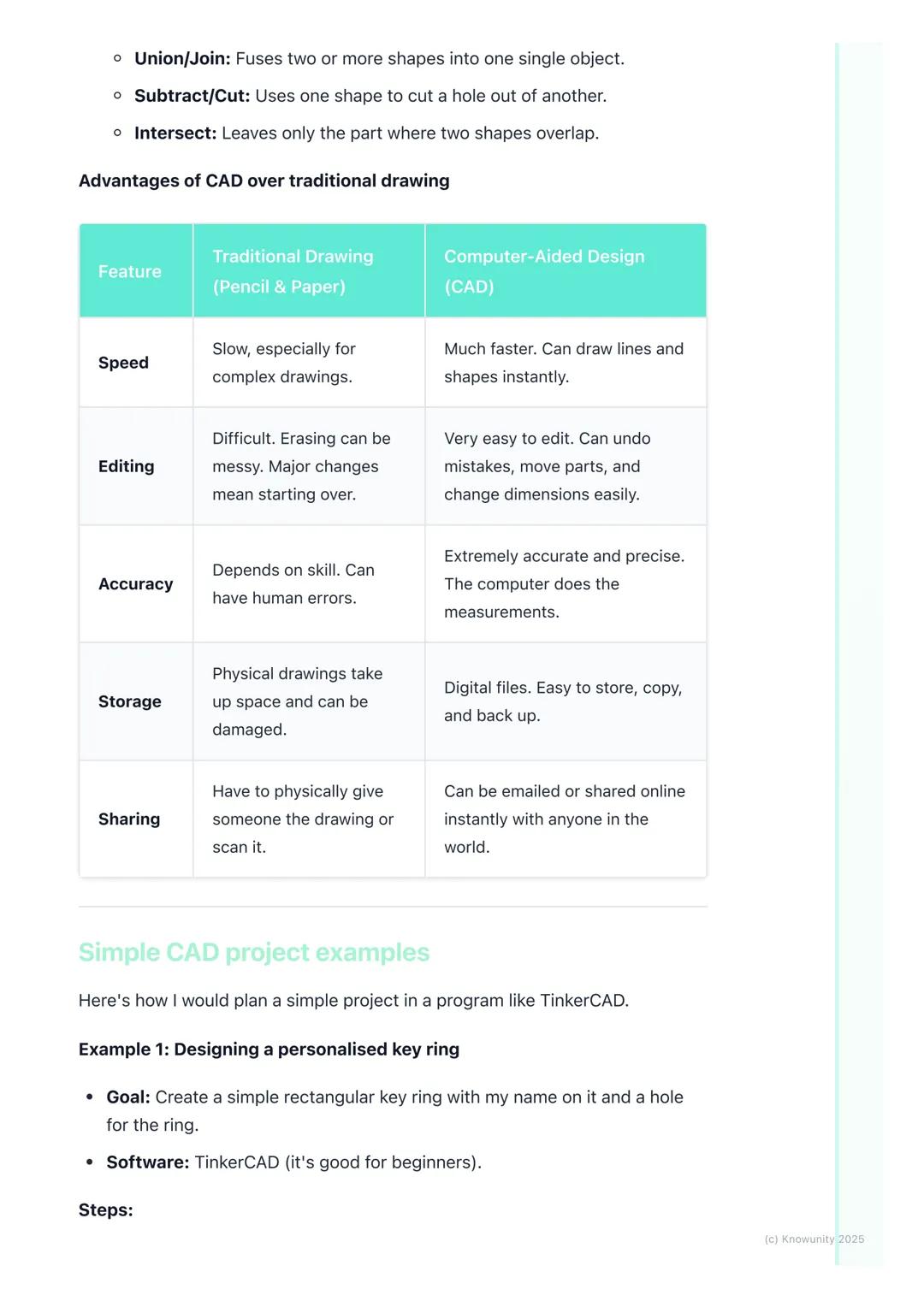
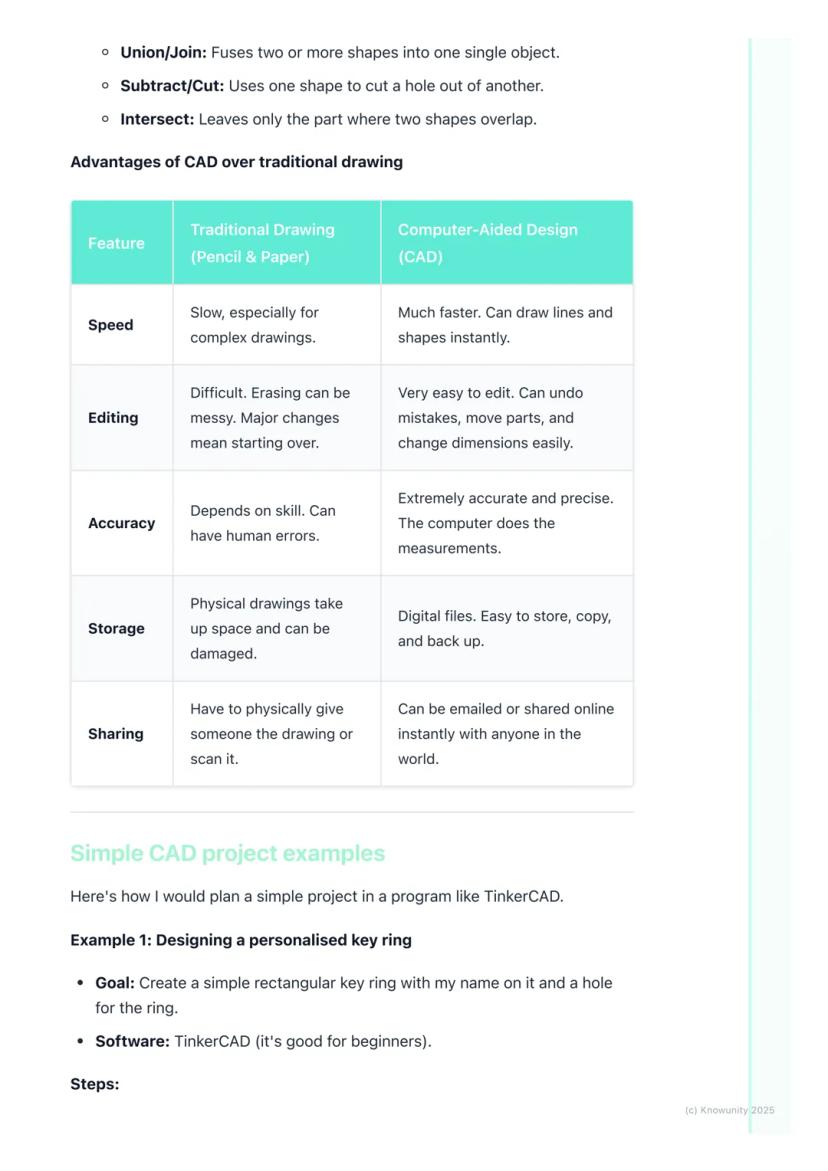
Let's be honest - CAD absolutely destroys traditional pencil-and-paper drawing in almost every way that matters. Speed? CAD wins - you can create perfect lines and shapes instantly. Accuracy? The computer handles all measurements, eliminating human error completely.
Making changes is where CAD truly shines. Messed up a dimension in traditional drawing? Start over. In CAD? Just click, edit, and you're done. Need to move an entire section? Drag and drop. Want to try a different design approach? Save a copy and experiment freely.
Storage and sharing are game-changers too. Physical drawings take up space, can be damaged, and sharing means photocopying or scanning. Digital CAD files can be stored forever, backed up easily, and shared instantly with anyone worldwide.
Real Talk: While traditional drawing skills are still valuable, CAD is what you'll actually use in most design careers.
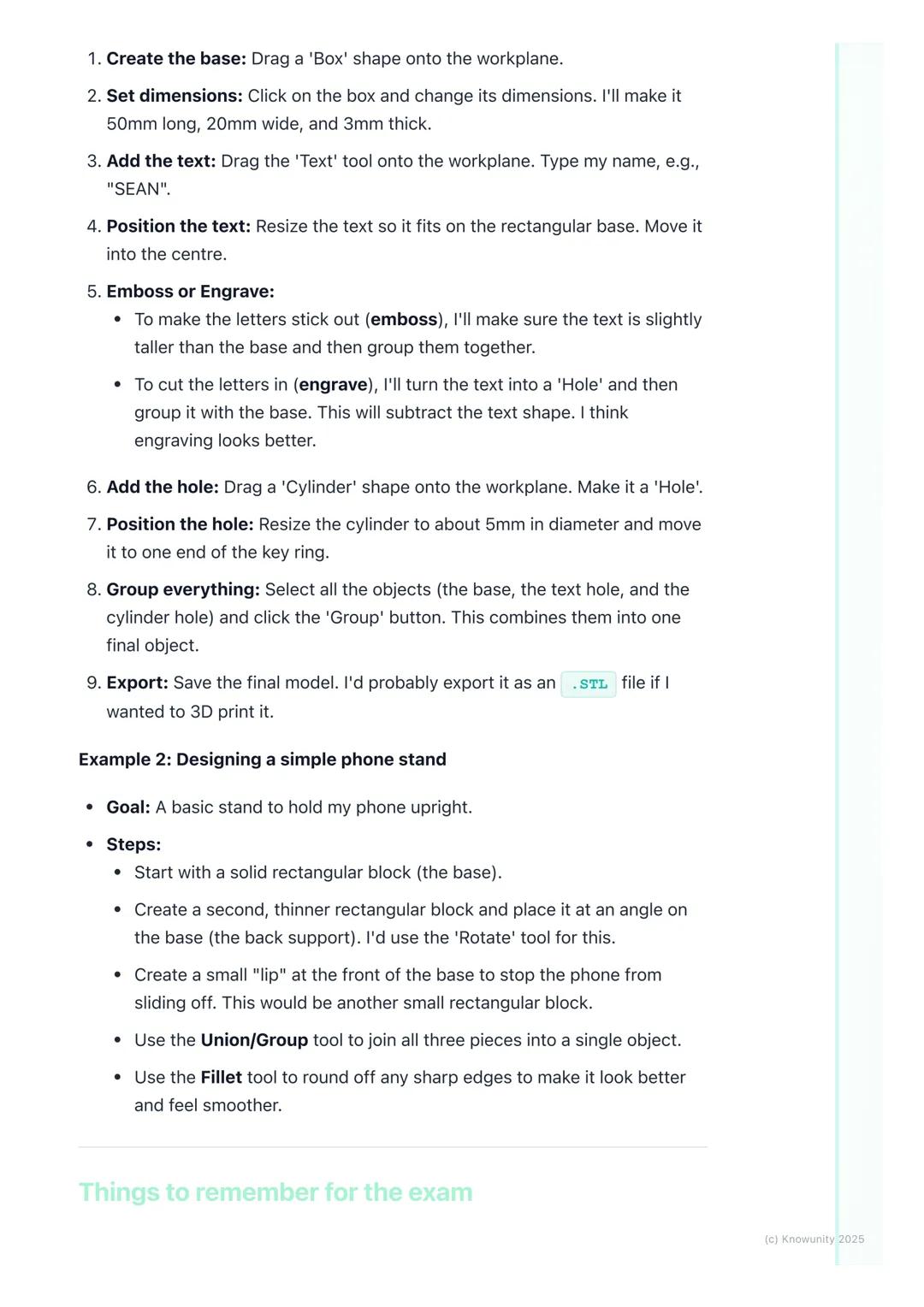
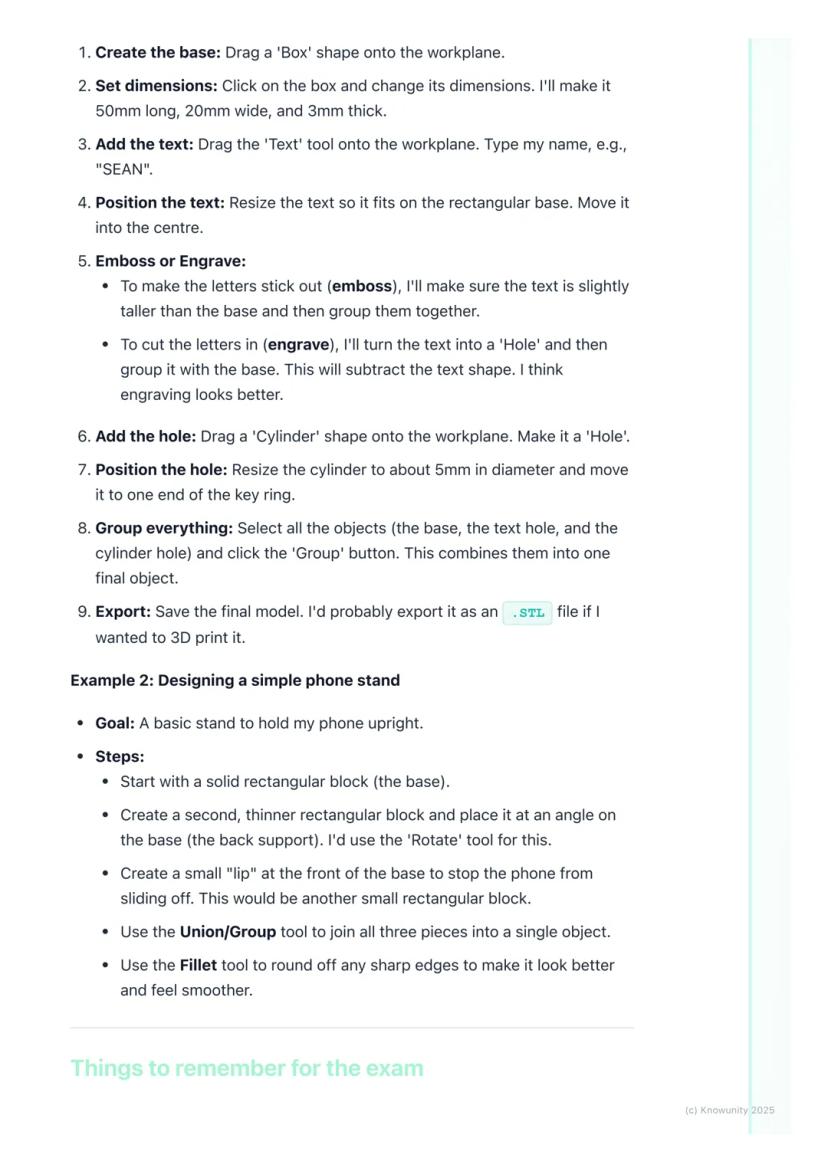
Let's design something you'd actually want - a personalised keyring using TinkerCAD. Start by dragging a box shape onto the workspace and resize it to 50mm long, 20mm wide, and 3mm thick.
Add your name using the text tool, then decide: do you want it raised (embossed) or carved in (engraved)? For engraving, change the text to a 'hole' and group it with the base - this subtracts the letters, creating carved text.
Create the key hole by adding a cylinder, making it a 'hole', and positioning it at one end. Finally, select everything and hit 'Group' to combine all elements into one finished object.
For a phone stand project, you'd build it from three basic rectangles: a base, an angled back support (use the rotate tool), and a small lip at the front to prevent sliding. Group them together and use fillet to smooth any sharp edges.
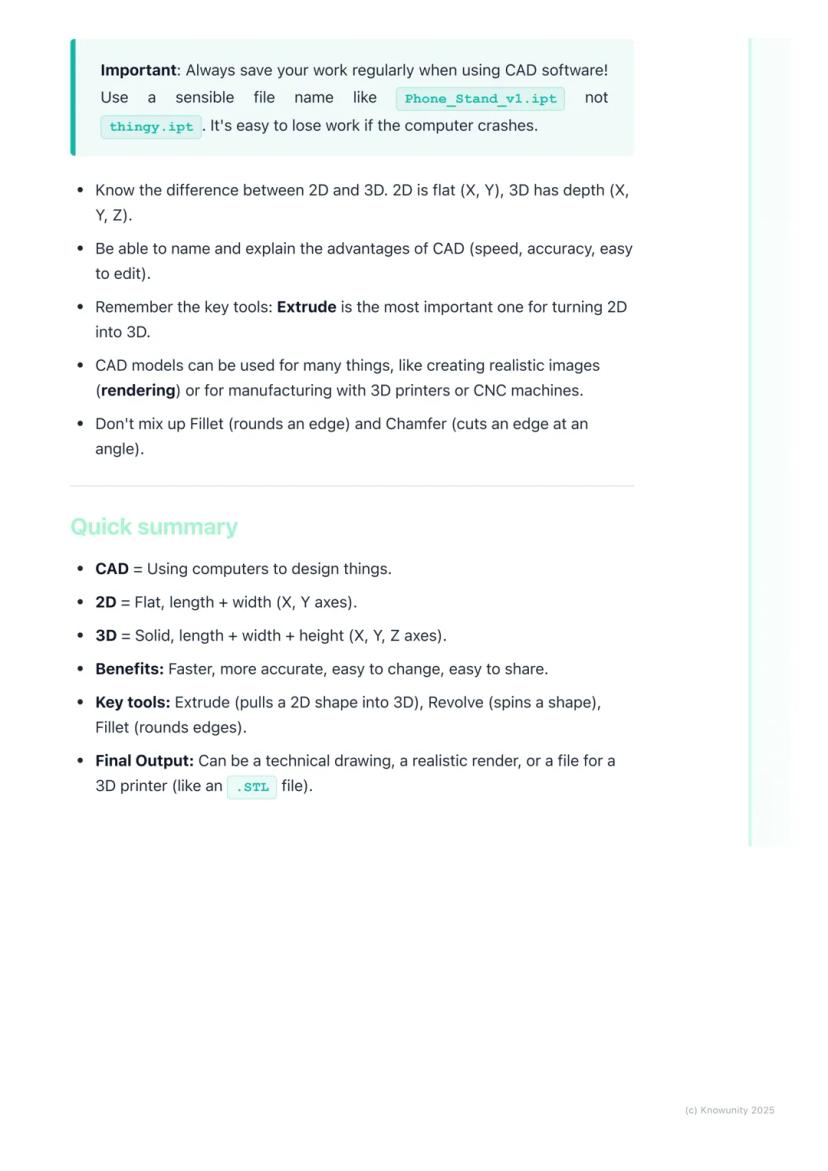
Success Strategy: Always save regularly with clear filenames like 'Keyring_v2.stl' - not 'random_thing.file'!
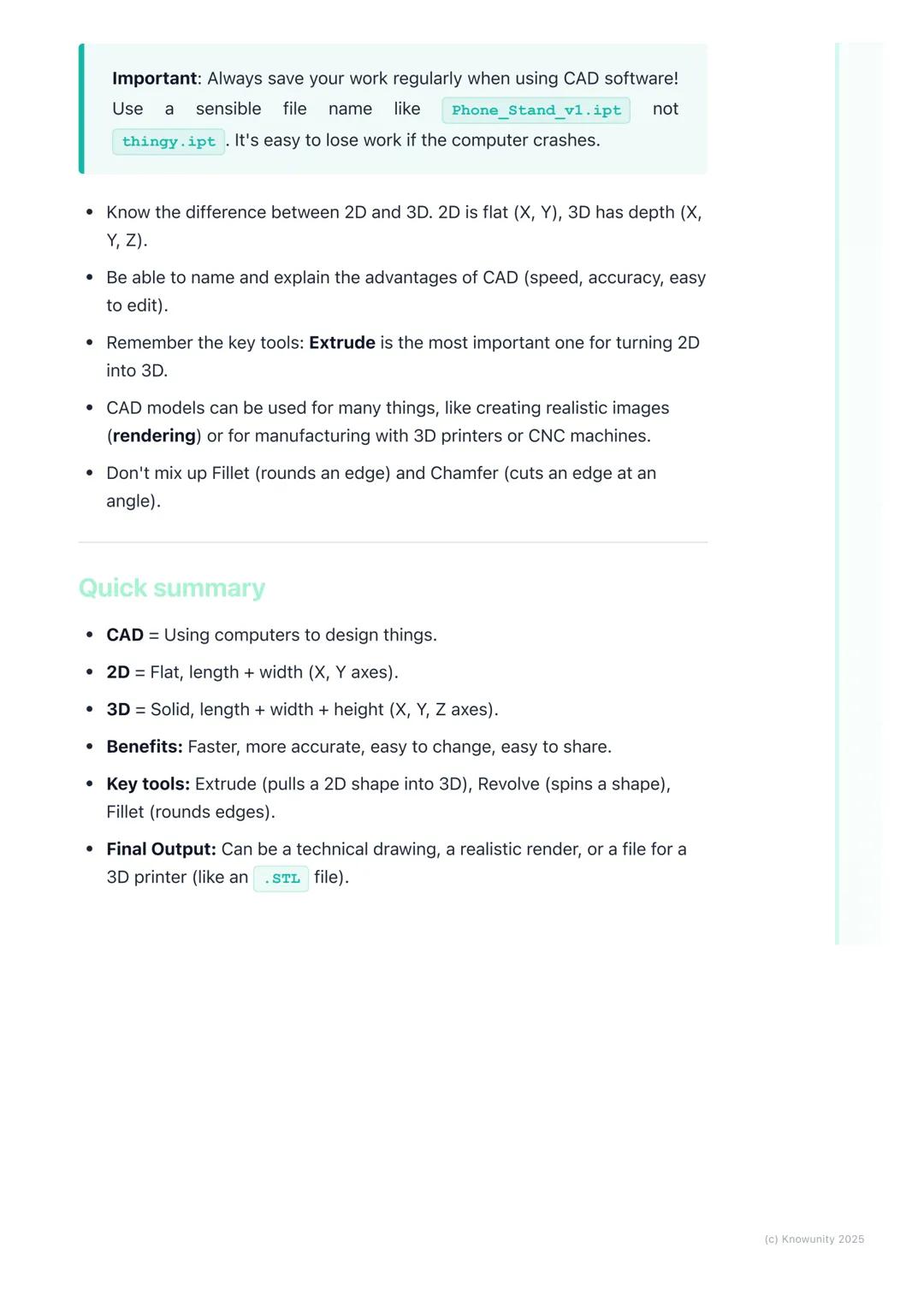
Here's what you absolutely must remember: 2D uses X and Y axes (flat), 3D adds the Z-axis . The main advantages of CAD are speed, accuracy, easy editing, and instant sharing capabilities.
Extrude is your most important tool - it transforms any 2D sketch into a 3D object by adding height. Don't confuse fillet (rounds edges) with chamfer (angled cuts) - they're completely different operations.
Your CAD models can become realistic images through rendering, physical objects via 3D printing, or technical drawings for manufacturing. The versatility is what makes CAD so powerful in modern design work.
Quick memory tricks: 2D = flat like paper, 3D = solid like objects around you. Extrude = pull up, Revolve = spin around, Boolean = combine or subtract shapes.
Final Reminder: CAD isn't just about knowing the tools - it's about thinking in 3D and breaking complex objects down into simple, manageable shapes.
Companionul nostru AI este creat special pentru nevoile studenților. Bazându-ne pe milioanele de materiale de pe platformă, putem oferi răspunsuri exacte și relevante pentru studenți. Dar nu este vorba doar despre răspunsuri, companionul este mai ales despre ghidarea studenților prin provocările zilnice de învățare, cu planuri de studiu personalizate, chestionare sau conținuturi în chat și personalizare 100% bazată pe abilitățile și evoluțiile studenților.
Aplicația este disponibilă în Google Play Store și Apple App Store.
Da! Bucură-te de access la materiale de studiu, conectează-te cu alți elevi, și primește ajutor instant - toate acestea la un click distanță. În plus, câștigă puncte ca să deblochezi mai multe funcționalități!
App Store
Google Play
Aplicația este foarte ușor de utilizat și bine concepută. Am găsit tot ce căutam până acum și am reușit să învăț multe din prezentări! Cu siguranță voi folosi aplicația pentru o temă la clasă! Și desigur, ajută mult ca sursă de inspirație.
Ștefan S
utilizator iOS
Această aplicație este super. Sunt atât de multe materiale de studiu și ajutor pentru elevi [...]. Materia mea mai problematică este franceza, de exemplu, și aplicația oferă foarte multe materiale ajutătoare. Mulțumită acestei aplicații, mi-am îmbunătățit franceza. Aș recomanda-o oricui.
Samantha Klich
utilizator Android
Wow, sunt cu adevărat impresionat. Am încercat aplicația pentru că am văzut-o promovată de multe ori și am rămas uimit. Aceasta este AJUTORUL de care ai nevoie pentru școală și, mai presus de toate, oferă atât de multe lucruri, precum exerciții și fișe de informații, care mi-au fost FOARTE de ajutor.
Anna
utilizator iOS
Te ajută să înveți foarte repede și ști foarte bine ce ai dori tu să înveți, vă recomand cu drag să încercați și să învățați mai repede.!
Thomas R
utilizator iOS
Foarte bună aplicația!!!! Mă ajută să înțeleg mult mai bine lecțiile și temele le termin mult mai repede.👍❤️
Paul P
utilizator Android
Te ajută foarte bine la teme acest robot,recomand!
David K
utilizator iOS
Aplicația e grozavă! Tot ce trebuie să fac este să introduc subiectul în bara de căutare și primesc răspunsul foarte rapid. Nu mai trebuie să mă uit la 10 videoclipuri pe YouTube pentru a înțelege ceva, deci îmi economisesc timpul. Super recomandat!
Sudenaz Ocak
utilizator Android
La școală eram chiar slab la matematică, dar datorită aplicației, mă descurc mai bine acum. Sunt atât de recunoscător că ai creat aplicația.
Greenlight Bonnie
utilizator Android
Această aplicație e super interesantă și seamănă ca tiktok-ul doar că tu ai doar teorie și explicații.
Karla S
utilizator Android
Nu mai trebuie să stau cu orele să învăț după caiet când pot să citesc de 2 ori lecțiile care apar aici și iau 10 la test ! Knowunity m-a ajutat să iau nota 9,20 la română ! Voi recomanda ff tare aceasta aplicate , să nu uităm ca are și chat GPT !👍🏻
Denisa B
utilizator iOS
CHESTIONARELE ȘI FLASHCARD-URILE SUNT ATÂT DE UTILE ȘI IUBESC Knowunity AI. E LITERALMENTE CA CHATGPT DOAR CĂ MAI DEȘTEPT!! M-A AJUTAT ȘI CU PROBLEMELE MELE CU MASCARA!! PLUS CU MATERIILE MELE ADEVĂRATE! EVIDENT 😍😁😲🤑💗✨🎀😮
Sarah L
utilizator Android
Este foarte bună te ajută la teme te face să înțelegi lecțiile am înțeles o lecție în 20 de minute i singură nu reușeam să o învăț dar cu Knowunity am învățat-o foarte ușor
Alessia V
utilizator iOS
Aplicația este foarte ușor de utilizat și bine concepută. Am găsit tot ce căutam până acum și am reușit să învăț multe din prezentări! Cu siguranță voi folosi aplicația pentru o temă la clasă! Și desigur, ajută mult ca sursă de inspirație.
Ștefan S
utilizator iOS
Această aplicație este super. Sunt atât de multe materiale de studiu și ajutor pentru elevi [...]. Materia mea mai problematică este franceza, de exemplu, și aplicația oferă foarte multe materiale ajutătoare. Mulțumită acestei aplicații, mi-am îmbunătățit franceza. Aș recomanda-o oricui.
Samantha Klich
utilizator Android
Wow, sunt cu adevărat impresionat. Am încercat aplicația pentru că am văzut-o promovată de multe ori și am rămas uimit. Aceasta este AJUTORUL de care ai nevoie pentru școală și, mai presus de toate, oferă atât de multe lucruri, precum exerciții și fișe de informații, care mi-au fost FOARTE de ajutor.
Anna
utilizator iOS
Te ajută să înveți foarte repede și ști foarte bine ce ai dori tu să înveți, vă recomand cu drag să încercați și să învățați mai repede.!
Thomas R
utilizator iOS
Foarte bună aplicația!!!! Mă ajută să înțeleg mult mai bine lecțiile și temele le termin mult mai repede.👍❤️
Paul P
utilizator Android
Te ajută foarte bine la teme acest robot,recomand!
David K
utilizator iOS
Aplicația e grozavă! Tot ce trebuie să fac este să introduc subiectul în bara de căutare și primesc răspunsul foarte rapid. Nu mai trebuie să mă uit la 10 videoclipuri pe YouTube pentru a înțelege ceva, deci îmi economisesc timpul. Super recomandat!
Sudenaz Ocak
utilizator Android
La școală eram chiar slab la matematică, dar datorită aplicației, mă descurc mai bine acum. Sunt atât de recunoscător că ai creat aplicația.
Greenlight Bonnie
utilizator Android
Această aplicație e super interesantă și seamănă ca tiktok-ul doar că tu ai doar teorie și explicații.
Karla S
utilizator Android
Nu mai trebuie să stau cu orele să învăț după caiet când pot să citesc de 2 ori lecțiile care apar aici și iau 10 la test ! Knowunity m-a ajutat să iau nota 9,20 la română ! Voi recomanda ff tare aceasta aplicate , să nu uităm ca are și chat GPT !👍🏻
Denisa B
utilizator iOS
CHESTIONARELE ȘI FLASHCARD-URILE SUNT ATÂT DE UTILE ȘI IUBESC Knowunity AI. E LITERALMENTE CA CHATGPT DOAR CĂ MAI DEȘTEPT!! M-A AJUTAT ȘI CU PROBLEMELE MELE CU MASCARA!! PLUS CU MATERIILE MELE ADEVĂRATE! EVIDENT 😍😁😲🤑💗✨🎀😮
Sarah L
utilizator Android
Este foarte bună te ajută la teme te face să înțelegi lecțiile am înțeles o lecție în 20 de minute i singură nu reușeam să o învăț dar cu Knowunity am învățat-o foarte ușor
Alessia V
utilizator iOS
Ever wondered how your phone, gaming console, or even your house was designed before being built? Computer-Aided Design (CAD)is the digital tool that makes it all possible. Instead of sketching with pencil and paper like traditional Technical Graphics, designers... Afișează mai mult
Acces la toate documentele
Îmbunătățește notele tale!
Alătură-te milioanelor de elevi
Think of CAD as your digital drawing board, but way more powerful than anything you could imagine. Computer-Aided Design lets engineers, architects, and designers create incredibly precise 2D drawings and 3D models using specialised software.
The beauty of CAD lies in its versatility. You can design a phone case one day and help plan a skyscraper the next. It's revolutionised how we create things because it's faster, more accurate, and infinitely easier to modify than traditional hand-drawing methods.
Key terms you'll need: A 2D design is flat with just length and width (X and Y axes), like a floor plan. A 3D model adds depth or height , creating solid objects you can view from any angle. Rendering transforms your basic 3D model into a photorealistic image with proper lighting and textures.
Quick Tip: Remember that orthographic projection - those front, top, and side views from traditional TG - can be generated automatically in CAD software!
Acces la toate documentele
Îmbunătățește notele tale!
Alătură-te milioanelor de elevi
2D CAD works like an incredibly precise electronic drawing board. You'll use commands to draw lines, circles, and arcs with perfect measurements that the software tracks for you. It's brilliant for creating floor plans, circuit diagrams, or profiles for laser cutting.
3D CAD is where things get exciting - you're essentially digital sculpting! Most 3D work starts with a 2D sketch that you then transform into a solid object by giving it depth. Remember the three axes: X-axis (width), Y-axis (depth), and Z-axis (height).
The most important 3D tool is extrude - it takes any flat 2D shape and pulls it up to create height, turning a circle into a cylinder or a square into a cube. Revolve spins a 2D shape around an axis (imagine spinning a semicircle to create a sphere).
Remember: Understanding these axes is crucial - they're the foundation of all 3D modelling work you'll do.
Acces la toate documentele
Îmbunătățește notele tale!
Alătură-te milioanelor de elevi
Once you've got your basic 3D shape, you'll need tools to refine it. Fillet rounds off sharp edges to make objects look smoother and safer, while chamfer cuts edges at an angle for a bevelled look.
Boolean operations are your shape-combining superpowers. Union fuses multiple shapes into one object - perfect for building complex designs from simple parts. Subtract uses one shape to cut holes in another, whilst intersect keeps only the overlapping parts of two shapes.
These tools might seem basic, but they're the building blocks of every complex CAD model you'll ever see. Master these fundamentals, and you'll be amazed at what you can create.
Pro Tip: Boolean operations are like digital Lego - you can build incredibly complex objects by cleverly combining simple shapes!
Acces la toate documentele
Îmbunătățește notele tale!
Alătură-te milioanelor de elevi
Let's be honest - CAD absolutely destroys traditional pencil-and-paper drawing in almost every way that matters. Speed? CAD wins - you can create perfect lines and shapes instantly. Accuracy? The computer handles all measurements, eliminating human error completely.
Making changes is where CAD truly shines. Messed up a dimension in traditional drawing? Start over. In CAD? Just click, edit, and you're done. Need to move an entire section? Drag and drop. Want to try a different design approach? Save a copy and experiment freely.
Storage and sharing are game-changers too. Physical drawings take up space, can be damaged, and sharing means photocopying or scanning. Digital CAD files can be stored forever, backed up easily, and shared instantly with anyone worldwide.
Real Talk: While traditional drawing skills are still valuable, CAD is what you'll actually use in most design careers.
Acces la toate documentele
Îmbunătățește notele tale!
Alătură-te milioanelor de elevi
Let's design something you'd actually want - a personalised keyring using TinkerCAD. Start by dragging a box shape onto the workspace and resize it to 50mm long, 20mm wide, and 3mm thick.
Add your name using the text tool, then decide: do you want it raised (embossed) or carved in (engraved)? For engraving, change the text to a 'hole' and group it with the base - this subtracts the letters, creating carved text.
Create the key hole by adding a cylinder, making it a 'hole', and positioning it at one end. Finally, select everything and hit 'Group' to combine all elements into one finished object.
For a phone stand project, you'd build it from three basic rectangles: a base, an angled back support (use the rotate tool), and a small lip at the front to prevent sliding. Group them together and use fillet to smooth any sharp edges.
Success Strategy: Always save regularly with clear filenames like 'Keyring_v2.stl' - not 'random_thing.file'!
Acces la toate documentele
Îmbunătățește notele tale!
Alătură-te milioanelor de elevi
Here's what you absolutely must remember: 2D uses X and Y axes (flat), 3D adds the Z-axis . The main advantages of CAD are speed, accuracy, easy editing, and instant sharing capabilities.
Extrude is your most important tool - it transforms any 2D sketch into a 3D object by adding height. Don't confuse fillet (rounds edges) with chamfer (angled cuts) - they're completely different operations.
Your CAD models can become realistic images through rendering, physical objects via 3D printing, or technical drawings for manufacturing. The versatility is what makes CAD so powerful in modern design work.
Quick memory tricks: 2D = flat like paper, 3D = solid like objects around you. Extrude = pull up, Revolve = spin around, Boolean = combine or subtract shapes.
Final Reminder: CAD isn't just about knowing the tools - it's about thinking in 3D and breaking complex objects down into simple, manageable shapes.
Companionul nostru AI este creat special pentru nevoile studenților. Bazându-ne pe milioanele de materiale de pe platformă, putem oferi răspunsuri exacte și relevante pentru studenți. Dar nu este vorba doar despre răspunsuri, companionul este mai ales despre ghidarea studenților prin provocările zilnice de învățare, cu planuri de studiu personalizate, chestionare sau conținuturi în chat și personalizare 100% bazată pe abilitățile și evoluțiile studenților.
Aplicația este disponibilă în Google Play Store și Apple App Store.
Da! Bucură-te de access la materiale de studiu, conectează-te cu alți elevi, și primește ajutor instant - toate acestea la un click distanță. În plus, câștigă puncte ca să deblochezi mai multe funcționalități!
0
Instrumente inteligente NOU
Transformă această notiță în: ✓ 50+ întrebări de exersare ✓ Flashcard-uri interactive ✓ Examen de practică complet ✓ Planuri de eseu
App Store
Google Play
Aplicația este foarte ușor de utilizat și bine concepută. Am găsit tot ce căutam până acum și am reușit să învăț multe din prezentări! Cu siguranță voi folosi aplicația pentru o temă la clasă! Și desigur, ajută mult ca sursă de inspirație.
Ștefan S
utilizator iOS
Această aplicație este super. Sunt atât de multe materiale de studiu și ajutor pentru elevi [...]. Materia mea mai problematică este franceza, de exemplu, și aplicația oferă foarte multe materiale ajutătoare. Mulțumită acestei aplicații, mi-am îmbunătățit franceza. Aș recomanda-o oricui.
Samantha Klich
utilizator Android
Wow, sunt cu adevărat impresionat. Am încercat aplicația pentru că am văzut-o promovată de multe ori și am rămas uimit. Aceasta este AJUTORUL de care ai nevoie pentru școală și, mai presus de toate, oferă atât de multe lucruri, precum exerciții și fișe de informații, care mi-au fost FOARTE de ajutor.
Anna
utilizator iOS
Te ajută să înveți foarte repede și ști foarte bine ce ai dori tu să înveți, vă recomand cu drag să încercați și să învățați mai repede.!
Thomas R
utilizator iOS
Foarte bună aplicația!!!! Mă ajută să înțeleg mult mai bine lecțiile și temele le termin mult mai repede.👍❤️
Paul P
utilizator Android
Te ajută foarte bine la teme acest robot,recomand!
David K
utilizator iOS
Aplicația e grozavă! Tot ce trebuie să fac este să introduc subiectul în bara de căutare și primesc răspunsul foarte rapid. Nu mai trebuie să mă uit la 10 videoclipuri pe YouTube pentru a înțelege ceva, deci îmi economisesc timpul. Super recomandat!
Sudenaz Ocak
utilizator Android
La școală eram chiar slab la matematică, dar datorită aplicației, mă descurc mai bine acum. Sunt atât de recunoscător că ai creat aplicația.
Greenlight Bonnie
utilizator Android
Această aplicație e super interesantă și seamănă ca tiktok-ul doar că tu ai doar teorie și explicații.
Karla S
utilizator Android
Nu mai trebuie să stau cu orele să învăț după caiet când pot să citesc de 2 ori lecțiile care apar aici și iau 10 la test ! Knowunity m-a ajutat să iau nota 9,20 la română ! Voi recomanda ff tare aceasta aplicate , să nu uităm ca are și chat GPT !👍🏻
Denisa B
utilizator iOS
CHESTIONARELE ȘI FLASHCARD-URILE SUNT ATÂT DE UTILE ȘI IUBESC Knowunity AI. E LITERALMENTE CA CHATGPT DOAR CĂ MAI DEȘTEPT!! M-A AJUTAT ȘI CU PROBLEMELE MELE CU MASCARA!! PLUS CU MATERIILE MELE ADEVĂRATE! EVIDENT 😍😁😲🤑💗✨🎀😮
Sarah L
utilizator Android
Este foarte bună te ajută la teme te face să înțelegi lecțiile am înțeles o lecție în 20 de minute i singură nu reușeam să o învăț dar cu Knowunity am învățat-o foarte ușor
Alessia V
utilizator iOS
Aplicația este foarte ușor de utilizat și bine concepută. Am găsit tot ce căutam până acum și am reușit să învăț multe din prezentări! Cu siguranță voi folosi aplicația pentru o temă la clasă! Și desigur, ajută mult ca sursă de inspirație.
Ștefan S
utilizator iOS
Această aplicație este super. Sunt atât de multe materiale de studiu și ajutor pentru elevi [...]. Materia mea mai problematică este franceza, de exemplu, și aplicația oferă foarte multe materiale ajutătoare. Mulțumită acestei aplicații, mi-am îmbunătățit franceza. Aș recomanda-o oricui.
Samantha Klich
utilizator Android
Wow, sunt cu adevărat impresionat. Am încercat aplicația pentru că am văzut-o promovată de multe ori și am rămas uimit. Aceasta este AJUTORUL de care ai nevoie pentru școală și, mai presus de toate, oferă atât de multe lucruri, precum exerciții și fișe de informații, care mi-au fost FOARTE de ajutor.
Anna
utilizator iOS
Te ajută să înveți foarte repede și ști foarte bine ce ai dori tu să înveți, vă recomand cu drag să încercați și să învățați mai repede.!
Thomas R
utilizator iOS
Foarte bună aplicația!!!! Mă ajută să înțeleg mult mai bine lecțiile și temele le termin mult mai repede.👍❤️
Paul P
utilizator Android
Te ajută foarte bine la teme acest robot,recomand!
David K
utilizator iOS
Aplicația e grozavă! Tot ce trebuie să fac este să introduc subiectul în bara de căutare și primesc răspunsul foarte rapid. Nu mai trebuie să mă uit la 10 videoclipuri pe YouTube pentru a înțelege ceva, deci îmi economisesc timpul. Super recomandat!
Sudenaz Ocak
utilizator Android
La școală eram chiar slab la matematică, dar datorită aplicației, mă descurc mai bine acum. Sunt atât de recunoscător că ai creat aplicația.
Greenlight Bonnie
utilizator Android
Această aplicație e super interesantă și seamănă ca tiktok-ul doar că tu ai doar teorie și explicații.
Karla S
utilizator Android
Nu mai trebuie să stau cu orele să învăț după caiet când pot să citesc de 2 ori lecțiile care apar aici și iau 10 la test ! Knowunity m-a ajutat să iau nota 9,20 la română ! Voi recomanda ff tare aceasta aplicate , să nu uităm ca are și chat GPT !👍🏻
Denisa B
utilizator iOS
CHESTIONARELE ȘI FLASHCARD-URILE SUNT ATÂT DE UTILE ȘI IUBESC Knowunity AI. E LITERALMENTE CA CHATGPT DOAR CĂ MAI DEȘTEPT!! M-A AJUTAT ȘI CU PROBLEMELE MELE CU MASCARA!! PLUS CU MATERIILE MELE ADEVĂRATE! EVIDENT 😍😁😲🤑💗✨🎀😮
Sarah L
utilizator Android
Este foarte bună te ajută la teme te face să înțelegi lecțiile am înțeles o lecție în 20 de minute i singură nu reușeam să o învăț dar cu Knowunity am învățat-o foarte ușor
Alessia V
utilizator iOS